NO
使用案例 / 配置入门
Notion Bot
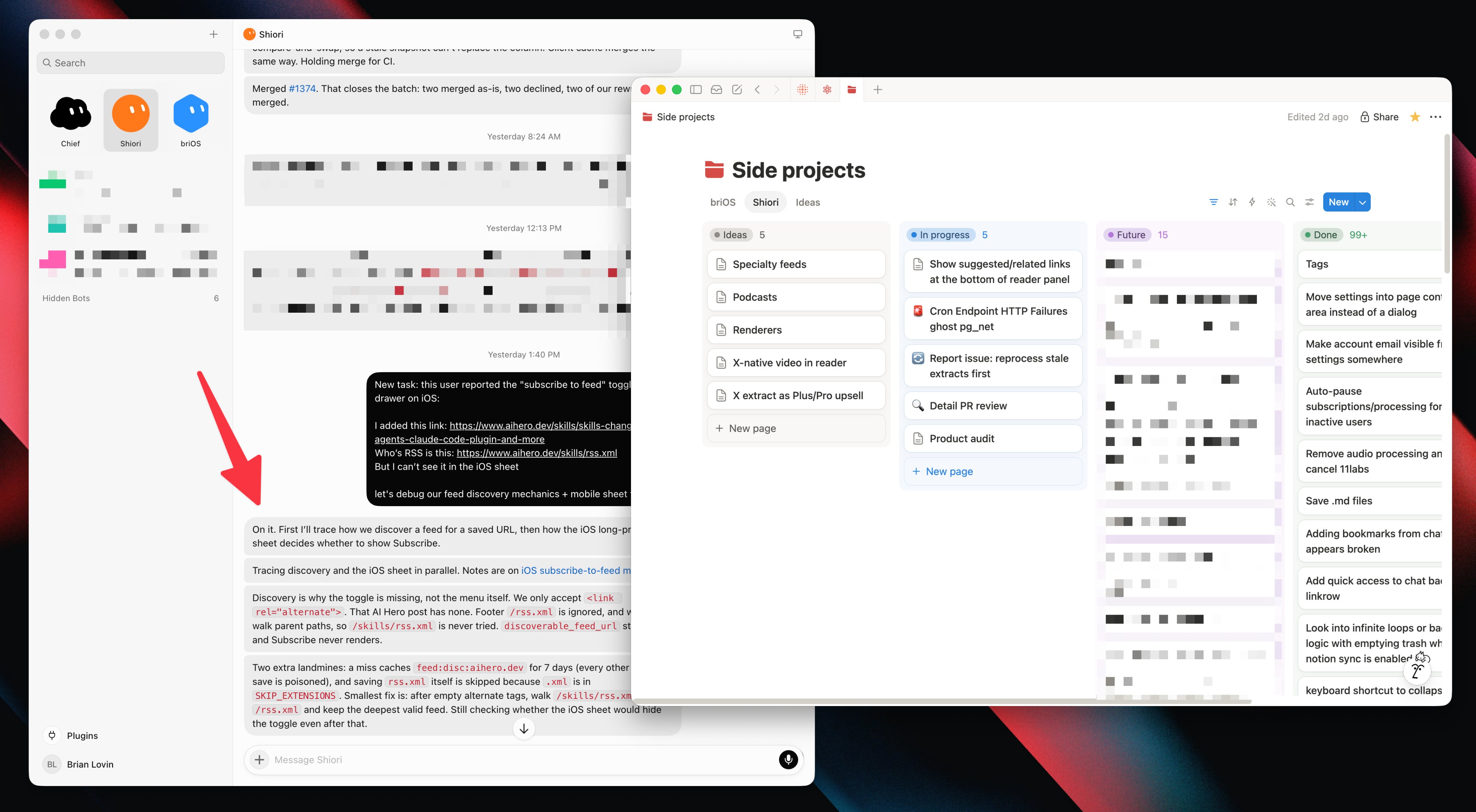
One Notion page per task, with notes, then a cloud session when it needs hands.
作者名称、介绍与 Prompt 保留原文。需要入门帮助? 阅读选 Bot 指南 →
这条用法的故事
Brian Lovin's multi-tasking pattern is two steps. First, tell your agent to keep all work organized in a Notion database and take detailed notes about progress and blockers on each page. Second, throw tasks into chat — manually, or automatically pulled from email, Sentry, or GitHub with routines — and most of the time those init a Cursor cloud session that starts building or fixing.
It's the best way he's found for one bot to work on many things at once while keeping visibility into what's flowing through the system, and the best way to resume an old task that got buried in a chat thread: ask the bot to find the right Notion page and get caught up. With the Notion MCP you don't do the setup by hand. Notion's own account quote-tweeted it.
截图与演示
Prompt
这是作者提供的参考内容。确认用途后,再交给你的 Agent 使用。
Using the Notion MCP, build me this system: a Notion database where you keep every task you're working on, one page each, with detailed running notes on progress and blockers. When I drop a task in chat (or a routine pulls one from email/Sentry/GitHub), create the page and kick off a Cursor cloud session to start on it. When I ask about an old task, find its page and catch me up on progress and next steps.