SP
使用案例 / 个人生活
Sprinkler Bot
Buys recurring household supplies on Amazon at Prime pricing. You still approve each order.
作者名称、介绍与 Prompt 保留原文。需要入门帮助? 阅读选 Bot 指南 →
这条用法的故事
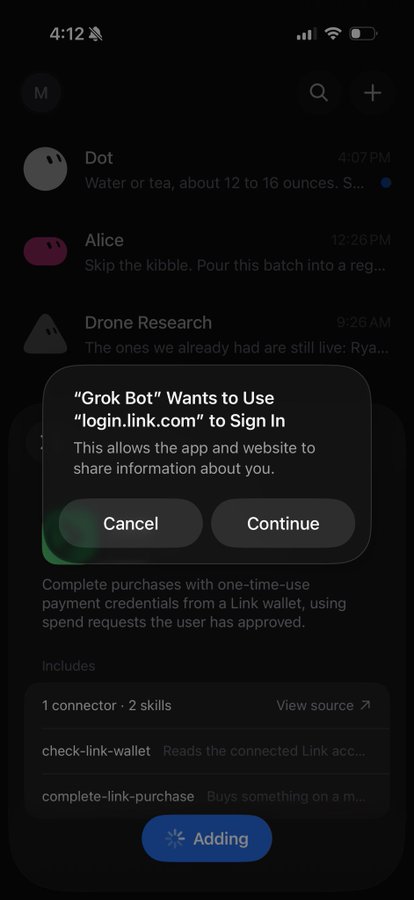
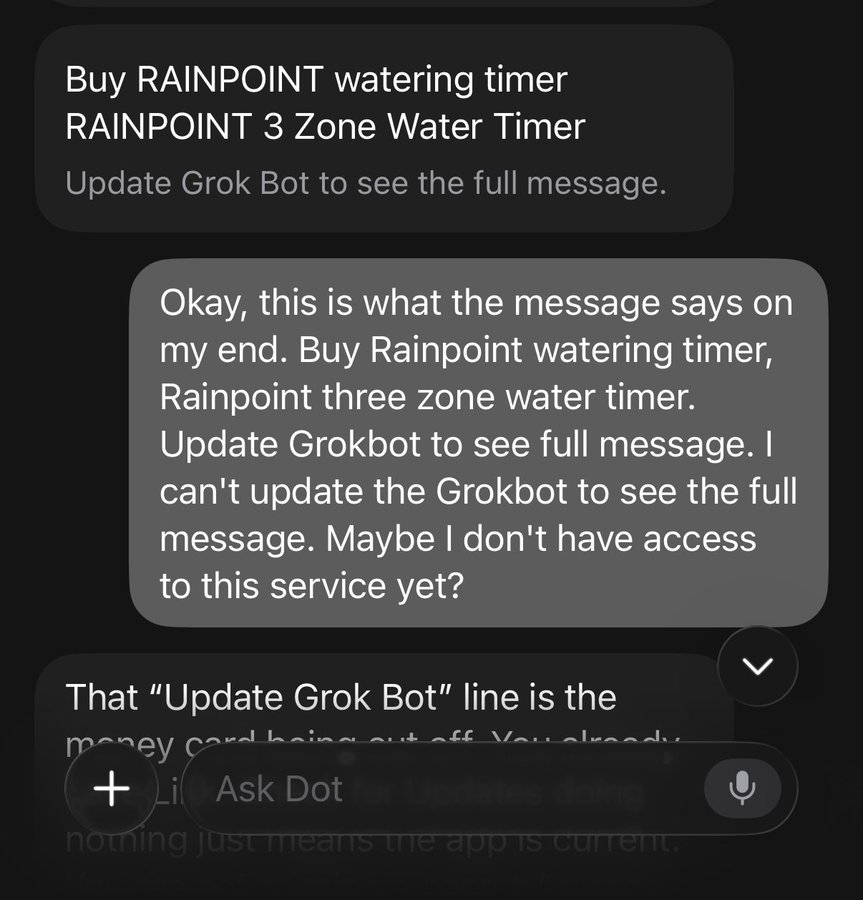
First-day Link test on iPhone: the approval prompt would not fire even though both sides showed connected. She asked the Bot to use the X Money card already saved in Amazon. It identified the card by last four, re-confirmed, and completed the order.
截图与演示
Prompt
这是作者提供的参考内容。确认用途后,再交给你的 Agent 使用。
First, walk me through connecting Link and signing into my Amazon account in the shared computer so I get Prime pricing and shipping. Confirm which saved cards you can see, by last four digits only.

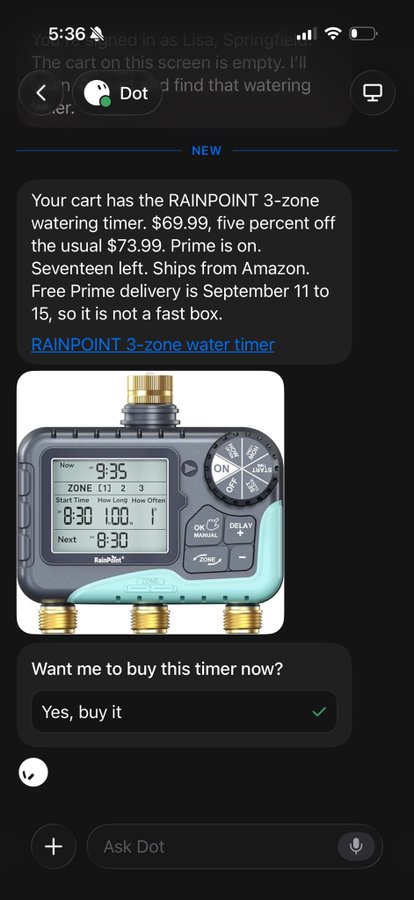
Then, when I name a household item I buy regularly, find it on Amazon, compare the regular price to any current sale price, check whether it is cheaper elsewhere, and put it in the cart.

Before any purchase, stop and show me the item, total, shipping date, and the last four of the card you will use, and wait for my explicit approval. If Link approval fails, ask whether to fall back to a card already saved in Amazon instead of retrying silently. After the order, give me the confirmation number. Do not send, publish, or spend without that yes. Save this as your standing job.